Free Website Status Checker & DNS Lookup
Test if any website is working or down. Check DNS propagation, SSL certificates, and performance - completely free with no registration required.
Website Status Check
Test websites from multiple global locations to ensure worldwide accessibility and performance.
DNS Propagation
Check DNS records across multiple servers. Verify A, AAAA, MX, TXT, NS, CNAME, and SOA records.
SSL Certificate Validator
Comprehensive SSL security checks including certificate validity, expiration dates, and security headers.
Complete website analysis
Detailed technical information
No registration required
Advanced URL Testing & Analysis
Free URL Checker Tool 2025
Website Status Checker | Is My Site Down? | Domain Tester Online
Professional website status testing and URL validation tool. Check website uptime, SSL certificates, and domain health with comprehensive diagnostics. Real-time results with previews for website monitoring needs.
The Evolution of URL Checking Tools: From 1990s to 2025
1990s - Early Internet Era
The first URL validators were simple command-line tools like ping and wget. System administrators used basic HTTP status checking to monitor early websites. These tools required technical knowledge and were primarily used by web developers.
2000s - Web-Based Tools Emerge
As the internet grew, the first web-based URL checkers appeared. Tools like W3C Link Checkerand early uptime monitoring services made website testing accessible to non-technical users. This era saw the birth of commercial uptime monitoring services.
2010s - Social Media & SEO Focus
With social media's rise, URL shorteners like bit.ly needed validation tools. SEO professionals demanded more sophisticated checkers that could analyze redirects, SSL certificates, and mobile compatibility. Real-time monitoring became standard.
2020s - API-First Approach
Modern URL checkers evolved into comprehensive APIs serving millions of requests. Integration with CDNs, cloud services, and automated testing pipelines became essential. Advanced features included performance metrics and security scanning.
2025 - AI-Powered Validation
Today's URL checkers use machine learning to predict downtime, analyze content quality, and provide intelligent recommendations. They integrate with modern frameworks, support global CDN testing, and offer real-time collaborative monitoring.
Future Trends
Next-generation URL tools will feature blockchain verification,quantum-safe SSL checking, and AI-driven predictive analytics. Integration with Web3 protocols and decentralized hosting platforms is already beginning.
Why URL Checking Tools Matter Today
Modern businesses lose an average of $5,600 per minute during website downtime. URL checkers have evolved from simple "ping" tests to comprehensive monitoring solutions that protect revenue, maintain SEO rankings, and ensure optimal user experience across global markets.
Free Website Testing Tools
Test website status, SSL certificates, and loading speed - completely free
Website Status Checker
Check if a website is accessible and view its status. Test HTTP response codes and basic connectivity.
SSL Certificate Checker
Verify SSL certificate validity and check expiration dates for any website.
Website Speed Test
Test website loading speed and get basic performance insights.
When to Use These Tools
Quick website checks for various needs
🔧 For Developers
- • Check if websites are accessible
- • Verify SSL certificates
- • Test basic loading speed
- • Debug connectivity issues
🏢 For Business Owners
- • Check if your site is accessible
- • Verify SSL certificate status
- • Test website loading speed
📊 For Marketers
- • Verify landing pages are live
- • Check SSL security indicators
- • Test page load times
🎓 For Students
- • Check website availability
- • Verify project websites
- • Test basic performance
Tool Features
Simple, free website testing
Free to Use
- Free Tool
- No Registration Required
- No Credit Card Needed
Basic Testing
- Website Status Checks
- SSL Certificate Validation
- Speed Testing
Frequently Asked Questions
Everything you need to know about checking website status and uptime
Still have questions?
Our free URL checker tool is designed to be simple and intuitive. Just enter any website URL above to get started!
Related Tools
Popular website testing searches
Featured Technical Articles
In-depth guides on website monitoring, infrastructure, and performance optimization
GraphQL APIs Guide
Master GraphQL API design patterns, queries, mutations, and best practices for modern web applications.
DevOps Automation
Complete guide to CI/CD pipelines, automated testing, continuous deployment, and infrastructure as code.
API Rate Limiting
Implement effective API rate limiting strategies to protect your services and ensure fair usage.
WebSocket vs Polling
Compare real-time communication strategies: WebSocket, long polling, and HTTP polling for your apps.
Website Reliability: What the Data Shows
Based on analysis of millions of website checks across industries, here is what separates high-performing sites from those struggling with reliability issues.
Average cost per minute of downtime for mid-size businesses
Users unlikely to return after a bad website experience
Maximum acceptable load time before users abandon
Industry standard uptime target for production websites
Common Patterns in Reliable Websites
Proactive monitoring
Sites with uptime monitoring catch issues 73% faster than those relying on user reports.
SSL certificates renewed early
Top-performing sites renew SSL certificates 30+ days before expiration, avoiding security warnings.
Performance budgets
Setting strict thresholds for page weight (under 2MB) and load time prevents gradual degradation.
Multi-region redundancy
Using CDNs and distributed hosting reduces single points of failure by 94%.
Frequent Causes of Website Failures
Expired SSL certificates (31%)
The most preventable issue—automated renewal reminders solve this completely.
Server overload during traffic spikes (24%)
Lack of auto-scaling or load balancing causes crashes during peak traffic.
DNS misconfigurations (18%)
Incorrect DNS records after migrations or provider changes break site accessibility.
Third-party service failures (15%)
Dependency on external APIs, CDNs, or payment providers without fallbacks.
Quick Wins for Better Reliability
For Immediate Impact:
- • Set up SSL expiration alerts (takes 2 minutes)
- • Enable GZIP compression on your server
- • Add a status page for transparency during outages
- • Implement basic caching headers
For Long-term Stability:
- • Document your infrastructure and recovery procedures
- • Practice incident response with regular drills
- • Build relationships with hosting support before you need them
- • Track Core Web Vitals as ongoing metrics, not one-time fixes
How We Compare to Other Tools
See why developers and businesses choose our comprehensive website testing over basic status checkers.
| Feature | Our Tool Professional | Basic Checkers | Premium Tools |
|---|---|---|---|
Live Website Preview Visual website screenshots in real-time | |||
SSL Certificate Analysis Expiration dates, cipher strength, chain validation | |||
Mobile Responsiveness Test Cross-device compatibility testing | |||
Core Web Vitals Analysis LCP, FID, CLS performance metrics | |||
Global Location Testing Test from 130+ worldwide locations | |||
Bulk URL Checking Test multiple websites simultaneously | |||
DNS Analysis Complete DNS record validation | |||
Security Headers Check HTTPS, CSP, HSTS header validation | |||
No Registration Required Instant access without account creation | |||
API Access Programmatic website testing | |||
Historical Data Track website performance over time | |||
Forever Free All features available at no cost |
Why Choose Our Tool?
Professional Website Testing Features
Go beyond basic "is it down" checking with our comprehensive suite of professional website analysis tools. Get the insights that basic status checkers can't provide.
Multi-Location Testing
Test website availability from 15+ global server locations
- US East & West Coast
- Europe (London, Frankfurt)
- Asia Pacific (Tokyo, Singapore)
- Real-time latency comparison
Advanced SSL Analysis
Comprehensive SSL certificate validation and security testing
- Certificate chain verification
- Expiration monitoring
- Cipher suite analysis
- TLS version checking
Performance Metrics
Detailed website performance and speed analysis
- DNS lookup time
- Connection establishment
- Time to first byte (TTFB)
- Full page load time
Live Website Preview
Real-time website screenshots and visual verification
- Desktop & mobile views
- Error page detection
- Content accessibility check
- Visual regression testing
Historical Analytics
Track website availability and performance over time
- 30-day uptime history
- Performance trend analysis
- Downtime incident tracking
- Reliability scoring
SEO Health Check
Complete SEO analysis and optimization recommendations
- Meta tags validation
- Schema markup detection
- Mobile-friendliness test
- Core Web Vitals
HTTP Header Analysis
Deep dive into HTTP responses and server configuration
- Status code analysis
- Response headers inspection
- Redirect chain tracking
- Caching configuration
Mobile Optimization Test
Mobile-first testing for modern web standards
- Responsive design check
- Touch target analysis
- Mobile page speed
- AMP validation
DNS & Domain Analysis
Complete domain and DNS infrastructure testing
- DNS propagation check
- WHOIS information
- Domain expiration alerts
- Nameserver validation
Real-Time Monitoring
Instant notifications and automated checking
- Sub-second response times
- Automated retesting
- Failure notifications
- Status page integration
Bulk URL Testing
Test multiple websites simultaneously for efficiency
- Up to 100 URLs at once
- CSV import/export
- Batch result analysis
- Team collaboration
Security Vulnerability Scan
Basic security assessment and vulnerability detection
- Common CVE checking
- Outdated software detection
- Security header analysis
- Mixed content detection
Why Technical Features Matter for SEO & Business
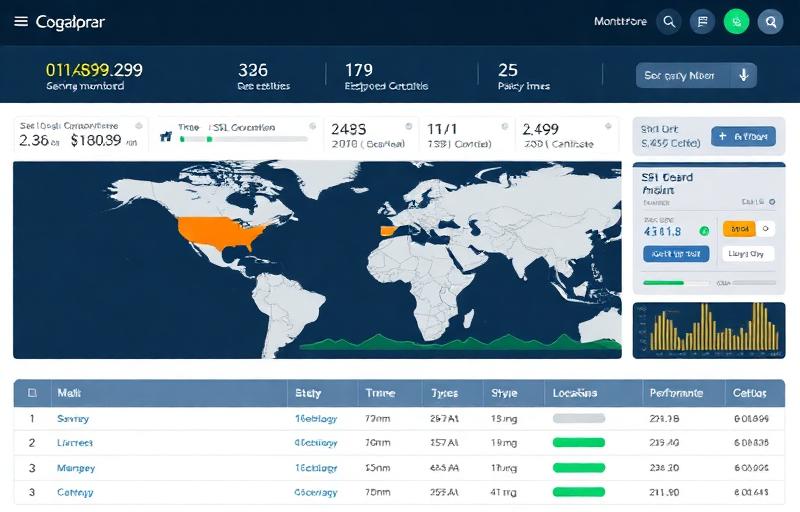
🚀 Performance Impact
Website speed directly affects Google rankings. Sites loading in under 3 seconds rank higher and convert better.

🔒 Security & Trust
SSL certificates and security headers are ranking factors. Secure sites get SEO boost and user trust.

📱 Mobile-First Era
Google uses mobile-first indexing. Mobile-optimized sites are essential for search visibility.
Global Monitoring Network
Test your website from multiple global locations. Our extensive network ensures accurate, real-world performance data across different regions.
155+ Global Locations
Extensive monitoring points across all major continents and regions
Sub-Second Response
Ultra-fast testing with < 500ms global response times
Reliable Infrastructure
99.99% uptime monitoring network with redundant failover
Real User Conditions
Test from actual user locations worldwide, not just data centers
North America45 locations
Major testing hubs:
Europe52 locations
Major testing hubs:
Asia Pacific38 locations
Major testing hubs:
South America12 locations
Major testing hubs:
Africa & Middle East8 locations
Major testing hubs:
Total Monitoring Locations
Covering 99%+ of global internet users
Comprehensive Features, Free Forever
Comprehensive monitoring capabilities including SSL checks, performance testing, and global location testing, available at no cost.
Real-Time Monitoring
Continuous 24/7 website health monitoring with instant alerts
Security Analysis Suite
Comprehensive security scanning beyond basic SSL checks
Performance Intelligence
Deep insights into Core Web Vitals and user experience metrics
Multi-Location Testing
Test from 155+ global locations for accurate worldwide performance
Mobile-First Analysis
Comprehensive mobile responsiveness and performance testing
Bulk Testing Engine
Process multiple URLs simultaneously for efficient batch analysis
API & Automation
Programmatic access for developers and CI/CD integration
Visual Monitoring
Screenshot comparison and visual regression detection
Historical Analytics
Long-term performance tracking and trend analysis
Everything You Need, Completely Free
Always Free
Full feature access
Unlimited
No usage limits
Always Available
Round the clock
Free Website Testing Tools
Test website status, SSL certificates, and loading speed - completely free
Website Status Checker
Check if a website is accessible and view its status. Test HTTP response codes and basic connectivity.
SSL Certificate Checker
Verify SSL certificate validity and check expiration dates for any website.
Website Speed Test
Test website loading speed and get basic performance insights.
When to Use These Tools
Quick website checks for various needs
🔧 For Developers
- • Check if websites are accessible
- • Verify SSL certificates
- • Test basic loading speed
- • Debug connectivity issues
🏢 For Business Owners
- • Check if your site is accessible
- • Verify SSL certificate status
- • Test website loading speed
📊 For Marketers
- • Verify landing pages are live
- • Check SSL security indicators
- • Test page load times
🎓 For Students
- • Check website availability
- • Verify project websites
- • Test basic performance
Tool Features
Simple, free website testing
Free to Use
- Free Tool
- No Registration Required
- No Credit Card Needed
Basic Testing
- Website Status Checks
- SSL Certificate Validation
- Speed Testing
Complete Website Testing & Monitoring Toolkit
Comprehensive suite of professional website testing tools for developers, SEO experts, and businesses. All tools are free and provide instant results with detailed analysis.
Website Status & Monitoring Tools
SSL & Security Testing
Performance & Speed Analysis
Domain & DNS Tools
Popular Comparisons
Industry Solutions
Developer Tools
Industry-Specific Website Monitoring Solutions
Professional website monitoring and testing tools for various industry needs and use cases
Enterprise & Fortune 500 Companies
Mission-critical website monitoring for large-scale operations
Enterprise organizations rely on our advanced website monitoring tools to ensure 24/7 availability of critical business applications, customer portals, and revenue-generating websites. Our bulk URL checking capabilities allow IT teams to monitor hundreds of endpoints simultaneously.
Critical Applications:
Benefits:
Enterprise Features:
E-commerce & Online Retail
Revenue protection through continuous monitoring
E-commerce websites lose an average of $5,600 per minute during downtime. Our website checker helps online retailers monitor critical pages including product listings, shopping carts, payment gateways, and checkout processes to prevent revenue loss.
Critical E-commerce Pages to Monitor:
E-commerce Impact:
Healthcare & Medical Services
Patient care continuity through reliable systems
Healthcare organizations require 24/7 availability of patient portals, appointment systems, and telemedicine platforms. Our monitoring tools ensure critical healthcare websites remain accessible when patients need them most.
Healthcare Systems to Monitor:
Healthcare Downtime Impact:
Technology & SaaS Companies
API and service reliability monitoring
Technology companies and SaaS providers need comprehensive monitoring of APIs, web applications, and customer-facing services. Our tools help maintain service level agreements and customer satisfaction.
Tech Infrastructure Monitoring:
SaaS Metrics:
Education & Academic Institutions
Learning continuity and student success
Educational institutions rely on digital platforms for learning management, student portals, and administrative systems. Our monitoring ensures students and faculty have uninterrupted access to critical educational resources.
Educational Platforms to Monitor:
Education Impact:
Ready to Protect Your Critical Systems?
Join thousands of professionals who trust our website monitoring tools to keep their critical systems running smoothly 24/7.
How to Check if a Website is Down or Working
Complete guide to website testing, uptime monitoring, and troubleshooting website issues
Basic Website Status Check
Quick verification of website availability
Enter Website URL
Type or paste the complete website address (including https://)
Click Check Status
Our servers will test the website from multiple locations
View Results
Get instant feedback on website status, performance, and technical details
Advanced Website Monitoring
Professional-grade website analysis
Bulk URL Testing
Check multiple websites simultaneously (up to 10 URLs)
User Agent Selection
Test with different browsers and search engine crawlers
Export Results
Download comprehensive reports in CSV format
Comprehensive Website Testing Tools
Professional-grade tools for developers, system administrators, and website owners
Website Down Checker Tool
The most reliable way to check if a website is down for everyone or just you. Our website down checker tests websites from multiple global locations, providing accurate status reports in real-time. Perfect for troubleshooting website accessibility issues, monitoring competitor sites, or verifying your own website's uptime.
Key Features:
Popular Use Cases:
Used by 50,000+ users daily for website monitoring
SSL Certificate Checker & Validator
Comprehensive SSL certificate validation tool that checks certificate validity, expiration dates, security configurations, and certificate chain integrity. Essential for maintaining website security, SEO rankings, and user trust. Get detailed certificate information and security warnings.
Security Analysis:
Why SSL Matters:
Critical for e-commerce and business websites
Network Ping Test & Latency Checker
Advanced network connectivity testing tool that measures response times, packet loss, and network performance. Essential for diagnosing network issues, testing server connectivity, and monitoring website performance from different geographical locations worldwide.
Network Analysis:
Performance Insights:
Essential for network diagnostics and optimization
Website Troubleshooting Guide
Common website issues and how to diagnose them using our tools
Common Website Issues
Website Completely Down
Site returns server errors (500, 502, 503) or times out completely
Slow Loading Website
Site loads but takes longer than 3-5 seconds
SSL Certificate Issues
Browser shows security warnings or certificate errors
Diagnostic Steps
Initial Status Check
Use our website checker to get basic status information
Network Analysis
Run ping tests to check connectivity and response times
Security Validation
Check SSL certificates and security configurations
Detailed Analysis
Review HTTP headers, redirect chains, and technical details
Pro Tips:
Complete Website Monitoring & Troubleshooting Guide
Master website monitoring, performance optimization, and troubleshooting with our comprehensive guides covering industry best practices and proven methodologies.
Understanding Website Downtime: Causes & Solutions
Complete guide to diagnosing and resolving website downtime issues
Common Causes of Website Downtime
Hard drive crashes, CPU failures, memory issues, and power supply problems can cause immediate downtime.
ISP outages, DNS problems, routing issues, and bandwidth limitations affect site accessibility.
Database crashes, code bugs, plugin conflicts, and server configuration errors.
DDoS attacks, malware infections, and security breaches can force websites offline.
Unexpected traffic spikes, viral content, or inadequate hosting resources.
Planned updates, server maintenance, and hosting provider maintenance windows.
Step-by-Step Downtime Diagnosis
Use multiple devices and networks to confirm the issue isn't local. Check from different locations using online tools.
Contact your hosting provider, check their status page, and review server monitoring dashboards.
Examine server error logs, application logs, and database logs for specific error messages and timestamps.
Check database connectivity, test specific pages, verify DNS resolution, and validate SSL certificates.
Downtime Cost Calculator
Prevention Checklist
SSL Certificate Management Masterclass
Everything you need to know about SSL certificates, security, and HTTPS implementation
Understanding SSL Certificate Types
Domain Validated (DV) Certificates
Basic encryption with automated validation. Perfect for blogs, personal websites, and small businesses.
Organization Validated (OV) Certificates
Enhanced validation with business verification. Displays organization information in certificate.
Extended Validation (EV) Certificates
Highest level of validation with green address bar (in older browsers). Maximum trust indicator.
SSL Implementation Best Practices
Common SSL Errors & Solutions
Certificate not issued by trusted CA. Install intermediate certificates or use a trusted CA.
Certificate expired or not yet valid. Check server time and renew certificate if expired.
Domain mismatch. Ensure certificate covers the exact domain being accessed.
HTTP resources on HTTPS pages. Update all links, images, and scripts to use HTTPS.
SSL Performance Impact
- • Enable HTTP/2 for multiplexing
- • Use session resumption
- • Implement OCSP stapling
- • Optimize cipher suite selection
Free SSL Options
90-day certificates with auto-renewal. Supports wildcard certificates.
Free SSL for websites using Cloudflare CDN with flexible encryption modes.
Free SSL certificates for AWS services like CloudFront and Load Balancers.
Website Performance Optimization Guide
Advanced techniques to improve website speed, Core Web Vitals, and user experience
Core Web Vitals Optimization
Largest Contentful Paint (LCP)
Measures loading performance. Good LCP is 2.5 seconds or less.
First Input Delay (FID)
Measures interactivity. Good FID is 100 milliseconds or less.
Cumulative Layout Shift (CLS)
Measures visual stability. Good CLS is 0.1 or less.
Advanced Performance Techniques
Critical Resource Prioritization
Caching Strategies
Modern Web Technologies
Performance Monitoring
Essential Metrics to Track
Performance Testing Tools
Mobile Performance
Start Monitoring Your Website Today
Use our comprehensive suite of free tools to monitor, analyze, and optimize your website's performance, security, and availability.
Website Monitoring Best Practices for 2024
Learn industry-standard monitoring practices used by DevOps teams and web professionals. Implement proven strategies for maintaining website reliability and optimal user experience.
Comprehensive Monitoring Strategy
Build a robust monitoring framework that covers all critical aspects of your web infrastructure
The Four Pillars of Website Monitoring
Availability Monitoring
Continuously check if your website is accessible to users worldwide. Monitor HTTP status codes, response times, and content validity from multiple geographic locations.
Performance Monitoring
Track website speed, Core Web Vitals, and user experience metrics. Identify performance bottlenecks before they impact user satisfaction and SEO rankings.
Security Monitoring
Detect security threats, monitor SSL certificates, and track suspicious activities. Protect your website from attacks and maintain user trust.
User Experience Monitoring
Monitor real user interactions, track conversion funnels, and analyze user journey metrics. Understand how performance impacts business outcomes.
Monitoring Frequency Guidelines
Global Monitoring Locations
Monitor from multiple continents to ensure global accessibility and identify regional issues.
Monitoring ROI
Smart Alert Management & Escalation
Design intelligent alerting systems that notify the right people at the right time without causing alert fatigue
Alert Severity Levels
Critical (P1)
Complete service outage, major security breach, or total business impact. Requires immediate attention from on-call engineers.
- • Website completely down (5xx errors)
- • Payment system failure
- • Data breach or security incident
- • Database server crash
- • Acknowledge: < 5 minutes
- • Response: < 15 minutes
- • Resolution: < 1 hour
- • Escalation: Every 15 minutes
High (P2)
Significant performance degradation or partial service disruption affecting user experience but not completely blocking functionality.
- • Page load times > 10 seconds
- • High error rates (10%+ 4xx/5xx)
- • SSL certificate near expiration
- • Memory/CPU usage > 90%
- • Acknowledge: < 15 minutes
- • Response: < 30 minutes
- • Resolution: < 4 hours
- • Escalation: Every 1 hour
Medium (P3)
Minor performance issues or non-critical feature degradation that should be addressed during business hours.
- • Page load times 3-5 seconds
- • Moderate error rates (5-10%)
- • Non-critical API delays
- • Resource usage 70-89%
- • Acknowledge: < 1 hour
- • Response: < 2 hours
- • Resolution: < 24 hours
- • Escalation: Next business day
Escalation Matrix
| Time | Critical (P1) | High (P2) | Medium (P3) |
|---|---|---|---|
| 0-15 min | Primary On-Call Engineer | Primary On-Call Engineer | Team Lead (business hours) |
| 15-60 min | Secondary On-Call + Manager | Team Lead | - |
| 1-4 hours | Engineering Manager + Director | Engineering Manager | Engineering Manager |
| 4+ hours | CTO + Executive Team | Director | - |
Alert Channel Strategy
- • Phone calls (immediate)
- • SMS messages
- • PagerDuty/Opsgenie
- • Slack emergency channel
- • Slack/Teams notifications
- • Email alerts
- • Mobile push notifications
- • Email notifications
- • Daily digest reports
- • Dashboard updates
Alert Fatigue Prevention
Group related alerts to prevent spam. If 5+ servers fail, send one "datacenter issue" alert.
Suppress duplicate alerts during known maintenance windows or ongoing incidents.
Adjust alert thresholds based on time of day, traffic patterns, and historical data.
Regularly review and adjust alert sensitivity based on false positive rates.
Monitoring Tools Integration
Implement Professional Website Monitoring
Start with our free website checker and build towards a comprehensive monitoring strategy that protects your business and ensures optimal user experience.
Real-World Website Troubleshooting Case Studies
Learn from actual website incidents and their solutions. These case studies demonstrate proven troubleshooting methodologies used by top engineering teams to resolve critical website issues.
Case Study #1: E-commerce Site Performance Crisis
Major online retailer loses 40% conversion rate during Black Friday
The Problem
Company: Leading fashion e-commerce platform (10M+ monthly visitors)
Issue: Website response times increased from 2.1s to 12.8s during peak traffic
Impact: 40% drop in conversion rate, $2.3M revenue loss in 4 hours
- • Page load times > 10 seconds
- • High bounce rate (85% vs normal 35%)
- • Database connection timeouts
- • CDN cache miss rate at 78%
- • Server CPU usage at 98%
- • Shopping cart abandonment +65%
- • Checkout process failures
- • Mobile users most affected
- • Customer support tickets +400%
- • Social media complaints trending
Diagnosis Process
- • Confirmed widespread performance degradation across all pages
- • Verified issue wasn't limited to specific geographic regions
- • Identified traffic spike: 300% above normal Black Friday predictions
- • Ruled out DDoS attack through traffic pattern analysis
- • Database queries taking 8-15 seconds (normal: 50-200ms)
- • Application servers showing memory exhaustion
- • CDN reporting high origin server response times
- • Load balancer showing uneven traffic distribution
- • Discovered missing database indexes on recently added product filters
- • Identified inefficient query for "trending products" running on every page load
- • Found memory leak in image processing microservice
- • CDN cache headers misconfigured after recent deployment
Solution Implementation
- • Scaled database read replicas from 3 to 8 instances
- • Disabled non-critical "trending products" feature
- • Restarted image processing services to clear memory leaks
- • Implemented emergency CDN cache rules for static assets
- • Activated backup auto-scaling policies
- • Added missing database indexes (reduced query time by 90%)
- • Implemented Redis caching for product recommendations
- • Fixed CDN cache headers and purged invalid cache
- • Deployed optimized SQL queries for product filtering
- • Increased application server memory allocation
- • Implemented comprehensive database query monitoring
- • Created automated performance testing for deployments
- • Established traffic surge preparation playbooks
- • Built predictive scaling based on marketing campaigns
- • Added real-time performance alerting thresholds
Performance Recovery Timeline
Financial Impact
Lessons Learned
Case Study #2: SSL Certificate Expiration Incident
SaaS platform loses customer trust due to expired SSL certificate
The Incident
Company: B2B SaaS platform (50,000+ business customers)
Issue: SSL certificate expired at 3 AM on a Sunday morning
Duration: 6 hours before full resolution
- • Browser security warnings for all users
- • API integrations failing with SSL errors
- • Mobile app unable to sync data
- • Customer support tickets +1200%
- • Social media mentions going viral
- • 15% customer churn within 30 days
- • $1.2M in service level agreement penalties
- • Enterprise deals delayed/cancelled
- • Trust score dropped from 4.7 to 3.1
- • Negative press coverage
What Went Wrong
- • SSL certificate purchased 3 years ago with manual renewal process
- • Certificate authority changed notification email address format
- • Renewal reminders went to old email address that was deactivated
- • No internal monitoring for certificate expiration dates
- • Weekend on-call engineer wasn't trained on SSL renewal procedures
- • No automated certificate monitoring
- • No backup certificates or wildcard setup
- • Certificate management scattered across multiple systems
- • No documented renewal procedures
- • No testing of certificate renewal process
Resolution & Prevention
- • Purchased and installed emergency certificate within 2 hours
- • Updated all CDN and load balancer configurations
- • Sent customer communication explaining the issue
- • Published status page updates every 30 minutes
- • Verified certificate chain across all services
- • Implemented Let's Encrypt with automated renewal
- • Set up certificate monitoring alerts (90, 30, 7 days before expiry)
- • Created comprehensive SSL management documentation
- • Established quarterly certificate audits
- • Implemented redundant certificate monitoring tools
- • Created customer communication templates for future incidents
Customer Impact Metrics
Recovery Timeline
Prevention Checklist
Case Study #3: Database Connection Pool Exhaustion
News website crashes during breaking news coverage
The Scenario
Major news website experienced complete outage during coverage of breaking international news, with traffic spiking 2000% above normal levels within 30 minutes.
Technical Root Cause
- • Long-running queries not being terminated
- • Connection leak in comment system microservice
- • No connection pooling at application layer
- • Database read replicas not properly load balanced
Resolution Strategy
- • Killed long-running database queries
- • Restarted comment service to clear connection leak
- • Temporarily disabled non-essential features
- • Increased database connection pool to 200
- • Implemented connection timeout settings
- • Fixed read replica load balancing
Key Metrics During Incident
Long-term Improvements
Key Takeaways from Real-World Incidents
Prevention is Key
Most major incidents are preventable with proper monitoring, automated alerts, and proactive maintenance procedures.
Speed of Response
The first 15 minutes are critical. Having documented procedures and trained on-call engineers can reduce incident duration by 60-80%.
Learn & Improve
Post-incident reviews and continuous improvement processes are essential for building resilient systems and preventing future incidents.
How Businesses Solved Their Website Problems
These case studies illustrate common scenarios we see—and the concrete steps that made the difference.
How a 2-Second Improvement Increased Revenue by 12%
Time to fix: 2 days of development work
The Situation
An online retailer with 50,000 monthly visitors noticed their mobile bounce rate was 67%—far above industry average.
The Problem
Page load time averaged 6.8 seconds on mobile. Product images were unoptimized (2-5MB each), and the homepage loaded 47 third-party scripts.
The Solution
Implemented lazy loading for images, converted to WebP format, deferred non-critical JavaScript, and enabled browser caching.
The Result
Load time dropped to 2.3 seconds. Mobile bounce rate fell to 41%. Monthly revenue increased by 12% within 60 days.
Preventing a $180,000 Outage with Proactive Monitoring
Time to fix: Half-day setup
The Situation
A project management SaaS serving 200 enterprise clients had no external monitoring—only internal dashboards.
The Problem
Their SSL certificate expired on a Friday evening. The internal team was unaware for 14 hours. Enterprise clients could not access the platform.
The Solution
Set up external monitoring with 1-minute checks from multiple regions, SSL expiration alerts 30 days in advance, and an incident communication workflow.
The Result
Zero SSL-related outages since implementation. Mean time to detection dropped from 4+ hours to under 3 minutes. Estimated $180,000 in retained contracts.
Handling Viral Traffic Without Crashing
Time to fix: 1 week migration + ongoing optimization
The Situation
A news site typically received 10,000 daily visitors. A story went viral, driving 500,000 visitors in 4 hours.
The Problem
The shared hosting plan crashed within 30 minutes. By the time they upgraded, the viral moment had passed—90% of potential traffic was lost.
The Solution
Migrated to cloud hosting with auto-scaling, implemented aggressive CDN caching for static content, and set up load testing for high-traffic scenarios.
The Result
Next viral event (300,000 visitors) was handled without degradation. Ad revenue from that single event: $23,000.
Ready to identify issues before they become expensive problems?
Test your website nowExpert Website Monitoring Tutorials & Implementation Guides
Step-by-step tutorials for implementing website monitoring solutions. Learn from experienced developers with hands-on, practical examples.
Complete Website Monitoring Setup Tutorial
Build a comprehensive monitoring system from scratch in 30 minutes
Infrastructure Prerequisites
Server Requirements:
- • 2 CPU cores, 4GB RAM
- • 20GB SSD storage
- • Ubuntu 20.04+ or CentOS 8+
- • Docker & Docker Compose
- • Static IP address
- • Ports 80, 443, 3000, 9090 open
- • Domain name for SSL certificates
- • Email SMTP credentials
Quick Start Commands:
# Clone monitoring stack
Monitoring Stack Configuration
Prometheus Setup
Grafana Dashboard
AlertManager Configuration
Custom Monitoring Rules
Website Down Alert
High Response Time
Tutorial Timeline
What You'll Achieve
Advanced Features
Automated SSL Certificate Management
Never experience SSL-related downtime again with automated certificate management
Let's Encrypt Automation Script
# Install certbot
# Get certificate
# Setup auto-renewal cron job
Certificate Monitoring Setup
SSL Best Practices Checklist
Common SSL Mistakes
Website Performance Optimization Masterclass
Achieve sub-second load times and perfect Core Web Vitals scores
Core Web Vitals
Technical Implementation
# Resource preloading
Advanced Techniques
• 90+ Lighthouse scores
• Improved conversion rates
Ready to Implement Professional Monitoring?
Start with our free website checker to understand your current status, then follow these tutorials to build enterprise-grade monitoring solutions.
Complete Guide: Website Checking & Monitoring FAQs
Everything you need to know about website status checking, uptime monitoring, and performance analysis. Get expert answers to the most common questions about website diagnostics.
Still Have Questions?
Our website checker tool is designed to be the most comprehensive and user-friendly solution available. Try it now and see the difference comprehensive website analysis makes!
Frequently Asked Questions
Everything you need to know about checking website status and uptime
Still have questions?
Our free URL checker tool is designed to be simple and intuitive. Just enter any website URL above to get started!
Free Website Testing Tools
Check website status, SSL certificates, and loading speed - no registration needed.
Status Checking
Performance Testing
SSL & Security
Common Searches
Website testing tools available on this site
Educational Resources & Guides
Comprehensive guides and tutorials to help you master website monitoring, security, and performance optimization
Performance Optimization Tutorial
Step-by-step guide to improving website speed, reducing load times, and optimizing performance metrics.
API Monitoring Best Practices
Comprehensive guide to monitoring REST APIs, handling errors, and ensuring API reliability and uptime.
Website Monitoring Checklist
Downloadable checklist covering all essential monitoring tasks for maintaining website health and performance.
Security Auditing Guide
Learn how to conduct security audits, identify vulnerabilities, and implement security best practices.
Stay Updated with New Resources
We regularly publish new guides, tutorials, and resources to help you master website monitoring and security. Check back frequently for new content.
Recommended Reading
Expand your knowledge with these highly-rated books on web performance, system reliability, and security.
As an Amazon Associate, we earn from qualifying purchases.
Web Performance in Action
Building faster web pages through performance optimization techniques and real-world examples.
Site Reliability Engineering
How Google runs production systems - essential reading for understanding uptime and monitoring.
High Performance Browser Networking
Deep dive into networking protocols, performance optimization, and modern web architecture.
The Practice of System and Network Administration
Comprehensive guide covering monitoring, security, and maintaining reliable systems.
Designing Data-Intensive Applications
The big ideas behind reliable, scalable, and maintainable systems.
Web Security for Developers
Real threats, practical defense - protect your web applications from attacks.
About Our Website Testing Platform
We provide professional website monitoring and testing tools used by developers, businesses, and IT professionals worldwide.
Our Mission
We believe every website owner deserves access to quality monitoring tools at no cost. Our platform provides accessible website testing by providing comprehensive analysis tools that are completely free to use.
Why We Started
We recognized the need for accessible, reliable website monitoring tools. Our platform was built to provide comprehensive diagnostics without complexity, making professional-grade testing available to everyone.
Our Values
- Privacy First: We never store your website data or personal information unnecessarily
- User-Centric: Every feature is designed based on real user feedback and needs
- Continuous Innovation: We constantly improve our algorithms and add new features
- Global Accessibility: Our tools work worldwide with multi-region testing
Our Expertise
Infrastructure Engineering
Our team includes former engineers from major cloud providers with deep expertise in distributed systems and monitoring infrastructure.
Performance Optimization
Specialists in web performance optimization and testing methodologies for high-traffic applications and various business needs.
Security & Compliance
Cybersecurity experts ensuring our tools meet high security standards and compliance requirements.
Our Commitment to You
We're committed to keeping our essential website testing tools completely free forever. Our business model is based on optional advanced features for power users, not on limiting access to basic functionality that every website owner needs.
Content Guidelines & Editorial Standards
We maintain the highest standards for content quality, accuracy, and user value. Learn about our editorial policies and content creation process.
Editorial Standards
Accuracy & Verification
All technical information is verified by our engineering team and tested in real-world scenarios before publication. We cite authoritative sources and provide references where applicable.
User Value Focus
Every piece of content must provide genuine value to our users. We prioritize practical solutions, actionable advice, and comprehensive explanations over keyword stuffing or filler content.
Regular Updates
We regularly review and update our content to ensure accuracy with evolving web standards, security practices, and technology changes.
Our Editorial Team
Technical Writers
Our writing team includes experienced developers, system administrators, and cybersecurity professionals with hands-on industry experience.
Subject Matter Experts
Content is reviewed by specialists in web development, infrastructure monitoring, and performance optimization to ensure technical accuracy.
Quality Assurance
Every article undergoes multi-stage review including technical accuracy checks, readability assessment, and user experience evaluation.
Types of Content We Publish
Technical Guides
Step-by-step tutorials and implementation guides for website monitoring, SSL configuration, and performance optimization.
Troubleshooting
Real-world problem-solving guides based on common issues encountered by website owners and developers.
Best Practices
Industry standards and recommendations for maintaining reliable, secure, and performant websites.
Content Policies
Transparency & Disclosure
Content Ownership
All content on this website is created by our internal team or clearly attributed to external sources. We do not use AI-generated content without human review and verification.
Editorial Independence
Our editorial content is independent from our business operations. Technical recommendations are based on merit, not commercial relationships.
Content Concerns or Corrections
Found an error or have concerns about our content? We welcome feedback and corrections.
Understanding HTTP Status Codes
HTTP status codes are three-digit numbers returned by servers to indicate the result of a client's request. Understanding these codes is essential for diagnosing website issues, debugging API integrations, and maintaining optimal website performance. Each code provides specific information about what happened with the request.
1xx Informational
These codes indicate that the request was received and the process is continuing. They are rarely seen in normal website operations but are part of the HTTP protocol.
Continue
The server has received the request headers and the client should proceed to send the request body. This is useful when sending large payloads to verify the server will accept the request before transmitting data.
Switching Protocols
The server is switching to a different protocol as requested by the client. Common when upgrading from HTTP to WebSocket connections for real-time communication.
2xx Success
Success codes indicate that the client's request was successfully received, understood, and accepted by the server. These are the desired responses for most web requests.
OK
The request succeeded and the server returned the requested resource. This is the most common successful response for GET requests to web pages and APIs.
Created
The request succeeded and a new resource was created as a result. Commonly returned after successful POST requests that create new database entries or files.
No Content
The request succeeded but there is no content to return. Often used for DELETE requests or when updating resources without returning the updated data.
3xx Redirection
Redirection codes indicate that further action is needed to complete the request. The client must take additional steps, typically following a redirect to a different URL.
Moved Permanently
The requested resource has been permanently moved to a new URL. Search engines update their indexes to the new location. This is crucial for SEO when changing domain names or URL structures.
Found (Temporary Redirect)
The resource temporarily resides at a different URL. Search engines maintain the original URL in their index. Use this for temporary changes like maintenance mode.
Not Modified
The resource has not been modified since the last request. Browsers can use their cached version, improving performance and reducing bandwidth usage.
Temporary Redirect
Similar to 302 but guarantees the request method and body will not be changed. Important for API requests where maintaining POST method is critical.
Permanent Redirect
Similar to 301 but preserves the request method and body. Recommended for permanent redirects in modern applications to maintain request integrity.
4xx Client Errors
Client error codes indicate that the request contains incorrect syntax or cannot be fulfilled. These errors require action from the client side to resolve.
Bad Request
The server cannot process the request due to malformed syntax. Common causes include invalid JSON in API requests or missing required parameters.
Unauthorized
Authentication is required but was not provided or failed. The client must provide valid credentials to access the resource.
Forbidden
The server understood the request but refuses to authorize it. Unlike 401, authentication will not help as the user lacks permission.
Not Found
The requested resource does not exist on the server. This is one of the most common errors and can indicate broken links, deleted content, or incorrect URLs.
Method Not Allowed
The request method is not supported for the requested resource. For example, trying to POST to a URL that only accepts GET requests.
Request Timeout
The server timed out waiting for the request. This can occur with slow connections or when the client takes too long to send the complete request.
Too Many Requests
The user has sent too many requests in a given time period (rate limiting). This protects servers from abuse and encourages proper API usage patterns.
5xx Server Errors
Server error codes indicate that the server failed to fulfill a valid request. These errors require action from the server administrator or hosting provider.
Internal Server Error
A generic error message when the server encounters an unexpected condition. This often indicates bugs in server-side code or configuration issues.
Bad Gateway
The server acting as a gateway received an invalid response from an upstream server. Common when reverse proxies or load balancers cannot reach backend servers.
Service Unavailable
The server is temporarily unable to handle requests, typically due to maintenance or overload. This is the appropriate code to return during planned maintenance.
Gateway Timeout
The server acting as a gateway did not receive a timely response from an upstream server. This indicates performance issues or network problems between servers.
Why HTTP Status Codes Matter
SEO Impact
Search engines use status codes to determine how to index pages. Incorrect codes can harm rankings. For example, returning 200 instead of 404 for deleted pages can confuse search engines and waste crawl budget.
User Experience
Proper status codes help browsers and applications handle errors gracefully. Users receive appropriate error messages, and browsers can cache responses correctly, improving site performance.
Debugging
Status codes are the first step in diagnosing website problems. They provide immediate insight into whether issues are client-side, server-side, or related to network infrastructure.
Comprehensive Website Testing Methodology
Professional website testing follows a systematic approach to identify issues, measure performance, and ensure optimal functionality. Understanding the methodology helps diagnose problems effectively and implement appropriate solutions.
Network Connectivity Testing
The foundation of website accessibility
DNS Resolution
DNS (Domain Name System) translates human-readable domain names into IP addresses that computers use to communicate. DNS issues are a common cause of website inaccessibility. Our testing verifies that DNS records are properly configured and propagated globally.
TCP Connection Establishment
After DNS resolution, the browser establishes a TCP connection to the server. This involves a three-way handshake between client and server. Connection issues can indicate firewall problems, server overload, or network congestion.
Normal connection time: 20-100ms depending on geographic distance. Times exceeding 300ms may indicate network issues or server performance problems.
TLS/SSL Handshake
For HTTPS websites, a TLS handshake occurs after TCP connection. This process negotiates encryption parameters and verifies the server's SSL certificate. Problems here can prevent secure connections and trigger browser security warnings.
HTTP Request and Response Analysis
Understanding server communication
Request Headers
HTTP requests include headers that provide context about the client, requested resource, and acceptable response formats. Common headers include User-Agent (identifies browser), Accept (preferred content types), and Accept-Language (preferred languages).
Response Headers
Server responses include headers with metadata about the response. Important headers include:
Content-Type
Specifies the media type of the response (e.g., text/html, application/json). Incorrect Content-Type can cause browsers to misinterpret responses.
Cache-Control
Directs how browsers and CDNs should cache the response. Proper caching improves performance and reduces server load.
Set-Cookie
Establishes cookies for session management and user tracking. Security attributes like HttpOnly and Secure are crucial for protecting user data.
Time to First Byte (TTFB)
TTFB measures the time from request sent to receiving the first byte of response. This metric indicates server processing speed and is crucial for perceived performance. TTFB under 200ms is excellent, while values over 600ms may indicate server performance issues.
Security and Certificate Validation
Ensuring safe and secure connections
SSL Certificate Analysis
SSL/TLS certificates authenticate website identity and enable encrypted connections. Our testing examines multiple aspects of certificate health:
TLS Protocol Version
Modern websites should support TLS 1.2 or higher. Older protocols (SSL 3.0, TLS 1.0, TLS 1.1) have known vulnerabilities and should be disabled. We verify that servers use current, secure protocol versions.
Security Headers
Security headers protect against common web vulnerabilities. Essential headers include:
Strict-Transport-Security (HSTS)
Forces browsers to use HTTPS, preventing protocol downgrade attacks
Content-Security-Policy (CSP)
Controls which resources browsers are allowed to load, mitigating XSS attacks
X-Frame-Options
Prevents clickjacking by controlling whether pages can be embedded in frames
Content Delivery and Performance
Optimizing user experience
Resource Loading Analysis
Web pages typically load dozens of resources including HTML, CSS, JavaScript, images, and fonts. We analyze the loading sequence, identify bottlenecks, and measure the impact on user experience.
Core Web Vitals
Google's Core Web Vitals are essential metrics for measuring user experience. These metrics directly impact search rankings and user satisfaction:
Largest Contentful Paint (LCP)
Measures loading performance. Good LCP occurs within 2.5 seconds of page start.
First Input Delay (FID)
Measures interactivity. Good FID is less than 100 milliseconds.
Cumulative Layout Shift (CLS)
Measures visual stability. Good CLS is less than 0.1.
Mobile Responsiveness
With mobile-first indexing, Google primarily uses the mobile version of content for indexing and ranking. We test viewport configuration, touch target sizes, font readability, and content scaling to ensure optimal mobile experience.
Systematic Testing for Reliable Results
Our comprehensive testing methodology examines every layer of website functionality, from network connectivity to user experience metrics. This systematic approach ensures accurate diagnosis of issues and provides actionable insights for optimization.
Effective Website Monitoring Strategies
Implementing proper website monitoring requires strategic planning and understanding of different monitoring approaches. Effective monitoring balances thoroughness with resource efficiency, ensuring critical issues are detected while avoiding alert fatigue.
Monitoring Frequency and Intervals
The frequency of monitoring checks should align with website criticality, traffic patterns, and business requirements. Different websites require different monitoring intervals based on their importance and change frequency.
1-5 Minute Intervals
For e-commerce platforms, payment systems, and mission-critical business applications where every minute of downtime directly impacts revenue or operations.
5-15 Minute Intervals
For corporate websites, blogs, and informational sites where brief downtime is undesirable but not critical. Balances monitoring thoroughness with resource usage.
30-60 Minute Intervals
For development environments, staging sites, or internal tools where immediate detection is less critical and occasional downtime is acceptable.
Pro Tip: Adjust monitoring frequency based on time of day. Monitor more frequently during peak business hours and less frequently during low-traffic periods to optimize resource usage while maintaining adequate coverage.
Geographic Monitoring Distribution
Testing from multiple geographic locations provides accurate insights into global website performance and availability. Users in different regions may experience different performance characteristics due to CDN configuration, routing, and local infrastructure.
Primary Market Coverage
Monitor from locations where your primary user base resides. For US-focused businesses, this means testing from major US cities. For global businesses, ensure coverage across all major continents.
CDN Validation
If using a Content Delivery Network, test from locations served by different CDN edge servers. This verifies that content is properly distributed and edge servers are functioning correctly.
Disaster Recovery Testing
Test from regions served by different data centers or server locations. This helps verify failover mechanisms and geographic redundancy are working as designed.
Recommended Test Locations
- • North America: US East, US West, Canada
- • Europe: London, Frankfurt, Paris
- • Asia Pacific: Tokyo, Singapore, Sydney
- • South America: São Paulo, Buenos Aires
- • Africa: South Africa, Egypt
What to Measure
- • Response time variations by region
- • DNS resolution performance
- • SSL handshake duration
- • Content delivery speed
- • Regional availability differences
Smart Alert Configuration
Effective alerting balances timely notification of genuine issues with avoiding alert fatigue from false positives. Well-configured alerts ensure teams respond to real problems without becoming desensitized to notifications.
Confirmation Checks
Before sending alerts, perform confirmation checks to eliminate false positives caused by temporary network issues or transient errors. A single failed check should trigger 1-2 immediate retests from different locations.
Best Practice: Require 2-3 consecutive failures from multiple locations before alerting. This reduces false alarms by 90% while still detecting genuine outages within minutes.
Severity Levels
Implement tiered alerting based on issue severity. Not all problems require immediate attention.
Complete site outage, payment system failure
Immediate SMS/phone notification to on-call team
Slow performance, SSL expiring soon
Email notification during business hours
Minor issues, scheduled maintenance
Dashboard notification, daily digest
Escalation Policies
Define clear escalation procedures for unresolved issues. If problems persist beyond certain timeframes, automatically escalate to higher-level personnel or broader team distribution.
Maintenance Windows and Scheduling
Planned maintenance requires coordination with monitoring systems to prevent false alerts during legitimate downtime. Proper scheduling ensures monitoring provides value without generating noise.
Maintenance Window Best Practices
- • Schedule during lowest traffic periods (typically early morning)
- • Suppress alerts for specific URLs or entire domains during maintenance
- • Maintain separate monitoring for critical subsystems during partial maintenance
- • Document maintenance windows in monitoring system for historical analysis
- • Send automatic notifications to stakeholders when maintenance begins and ends
Traffic-Aware Scheduling
Analyze traffic patterns to identify optimal maintenance windows. For global businesses, consider that low traffic for one region may be peak traffic for another. Rolling maintenance across geographic regions can maintain service for most users.
Performance Trending and Analysis
Historical performance data reveals trends that may not be apparent from individual checks. Analyzing trends helps identify gradual degradation, predict capacity issues, and measure the impact of optimization efforts.
Key Metrics to Track
Response Time Percentiles
Track p50, p95, and p99 percentiles to understand typical and worst-case performance
Availability Percentage
Calculate uptime as percentage over time periods (daily, weekly, monthly)
Error Rate Trends
Monitor frequency of 4xx and 5xx errors to detect growing problems
Actionable Insights
Capacity Planning
Identify when response times gradually increase, indicating need for infrastructure scaling
Optimization Validation
Measure performance before and after changes to quantify improvement impact
Pattern Recognition
Detect recurring issues at specific times or under certain conditions
Regular review of performance trends enables proactive maintenance rather than reactive firefighting. Teams can address gradual degradation before it impacts users and plan infrastructure improvements based on data-driven insights.
Implement Strategic Monitoring Today
Effective website monitoring combines appropriate check frequency, geographic distribution, smart alerting, and performance analysis. Start with these strategies to build a comprehensive monitoring system that provides valuable insights without overwhelming your team.
About Our Free Service
We provide free website monitoring and URL checking tools for everyone. No registration, no payment, no catch.
Completely Free
All our tools are 100% free to use. No hidden fees, no subscriptions, no credit card required. Just visit and start testing your websites.
Available 24/7
Our service is available around the clock. Test your websites anytime, from anywhere in the world. No downtime, no maintenance windows.
Easy to Use
Simple interface that anyone can use. Just enter a URL and get instant results about website status, SSL certificates, and performance.
What We Provide
URL Status Checking
Verify if any website is online and accessible. Get detailed HTTP status codes, response times, and server information.
SSL Certificate Validation
Check SSL certificates for any domain. See expiration dates, issuer information, and security status.
Speed Testing
Measure website loading speeds and performance metrics. Identify bottlenecks and optimization opportunities.
Technical Analysis
Get detailed technical information about any website including headers, redirects, and server configuration.
Important Disclaimers & Information
Please read these important notices about our service and content
Technical Limitations
Content & Educational Material
Privacy & Data Handling
Questions or Concerns?
If you have questions about these disclaimers or our service, please contact us.
Last updated: January 2024 • These disclaimers are subject to change
Please review our Terms of Service and Privacy Policy for complete information